


In this article:
- What is a self-employed expense tracker?
- Benefits of using a self-employed expense tracker
- 1. Toggl Track (4.6/5 stars on G2)
- 2. Zoho Expense (4.5/5 stars on G2)
- 3. Expensify (4.5/5 stars on G2)
- 4. FreshBooks (4.5/5 stars on G2)
- 5. Xero (4.4/5 stars on G2)
- 6. Harvest (4.3/5 stars on G2)
- 7. Wave (4.3/5 stars on G2)
- Finance best practices most freelancers don’t think about
- Wrap up
- FAQs about self-employed expense trackers
Real talk: You can be fully booked, raise your rates, and still have no idea where your money goes.
Sound familiar?
Between software subscriptions, coffees with clients, and random upgrades you “needed for the business,” it’s easy for expenses to blur into one big, confusing number.
But that confusion becomes really painful at tax time, when you’re digging through emails and bank feeds trying to remember what was business and what was personal.


A self-employed expense tracker fixes that by logging every cost as it happens, tagging them correctly, and showing you your finances in real time.
Instead of guessing, you can see how much you really spend to run your business, how much you keep, and what you owe. In this guide, I’ll walk through what these tools do, why they’re game-changing for freelancers, and the best apps to help you manage your money like a business owner.
What is a self-employed expense tracker?
A self-employed expense tracker is a tool (usually an app or software) that records, categorizes, and stores business transactions for solo workers and freelancers.
It’s like a digital bookkeeper that watches your bank feeds, credit card transactions, and receipts, then turns them into clear, labeled data you can use.
For example, you might connect your business credit card, set up categories like software, travel, and professional services, and snap photos of receipts on the go. The tracker then matches those receipts to card charges, applies the right category, and rolls everything into simple reports for tax time and financial planning.
Benefits of using a self-employed expense tracker
The top benefits of using a self-employed expense tracker include:
- Better budgeting: When you categorize expenses automatically, you can see trends in tools, travel, and overhead — then decide what to cut or double down on.
- Revenue and cash flow planning: Real-time reports show you what’s going out versus what’s coming in, so you can better predict your cash flow and revenue.
- Time savings: Instead of sorting spreadsheets for hours, you can automate tracking and review a simple dashboard once a week.
- Easier tax prep: Clean expense records help you stay prepared for tax time.
That said, here are some of the best business expense trackers for freelancers in 2026.
1. Toggl Track (4.6/5 stars on G2)
Toggl Track
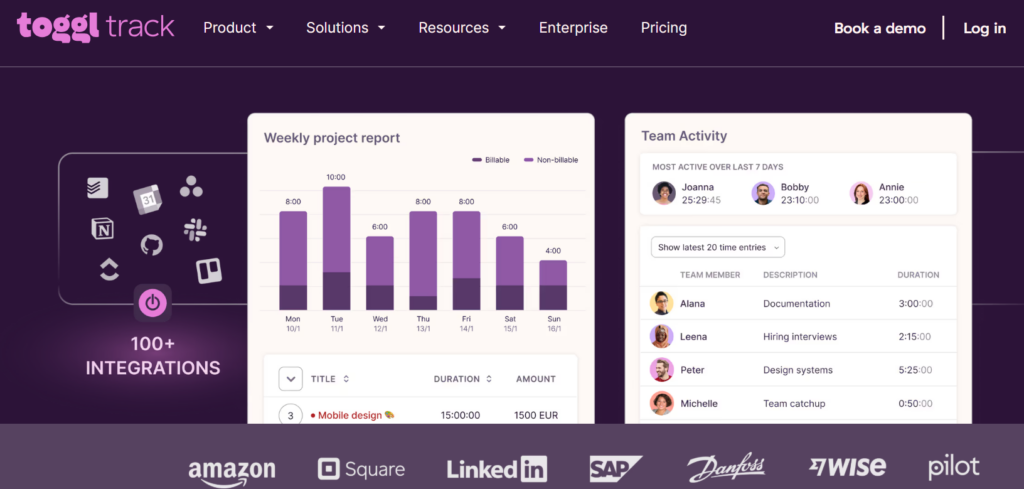
Toggl Track is a time-tracking tool, but it can also serve as a lightweight expense-tracking companion for freelancers who bill by the hour.
It gives you a simple way to connect time, projects, and costs. You track your work, tag it for clients or projects, and then use that data to understand which jobs are profitable after you consider your recurring expenses.
It’s also great if you manage a small subcontracted team and need to track their billable hours.
Pros:
- Strong reporting and tagging, which helps you see which clients or projects generate the best effective hourly rate.
- Generous free plan with core time tracking for small teams or solo users.
- Intuitive, minimal interface that’s easy to adopt even if you hate systems.
- Helpful tool for overtime management.
Cons:
- Limited features. (If you’re looking for an accounting suite, this app isn’t for you.)
- No deep receipt scanning or tax-focused features.
- No automated bank feeds.
- No full financial reports.
Pricing: Starts at $10 per user per month. You start paying after a free 30-day trial.
What it’s best for: Tracking time and money owed per project.
Who it’s best for: Freelancers who bill hourly or per project and want to understand profitability across clients and services without a heavy accounting tool.
One G2 reviewer says:
“The best thing about Toggl Track is how quick it is to start tracking time. You just hit the timer and get back to work, no complicated setup. I also like how it automatically groups your entries and shows everything clearly in the reports. It actually makes you aware of where your time is going without feeling heavy or confusing.”
2. Zoho Expense (4.5/5 stars on G2)
Zoho Expense
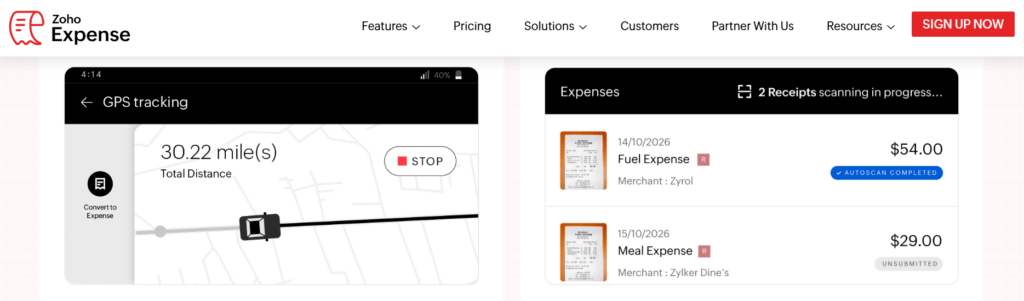
Zoho Expense is a dedicated expense management app that helps you capture receipts, categorize expenses, manage corporate cards, and build approval workflows.
While it’s popular with teams, solo business owners can also use it to centralize travel expenses, recurring subscriptions, and reimbursements in one place
Pros:
- Robust expense automation reduces manual data entry. (You get receipt scanning, mileage tracking, and policy-based categorization.)
- Part of the broader Zoho ecosystem, which is useful if you already use Zoho Books, CRM, or other tools.
- Strong card management features, including real-time feeds for corporate cards.
- Free and affordable plans available.
Cons:
- Some features (like advanced approvals and travel booking) might be overkill for a one-person business. Unless you actually travel and need client expense approval.
- The interface and setup can feel heavy if you just want a simple tool.
Pricing: The free plan supports up to three users per month. Paid plans start at $4 per user, per month.
What it’s best for: Structured, policy-based expense management.
Who it’s best for: Freelancers who occasionally subcontract or run small teams. And solo founders who expect to scale into a small agency or multi-person company.
One G2 reviewer says:
“What I like most about Zoho Expense is how simple and intuitive it is to use. Submitting expenses, getting approvals, and tracking reimbursements are all well structured and easy to follow, which saves a lot of manual effort.”
3. Expensify (4.5/5 stars on G2)
Expensify
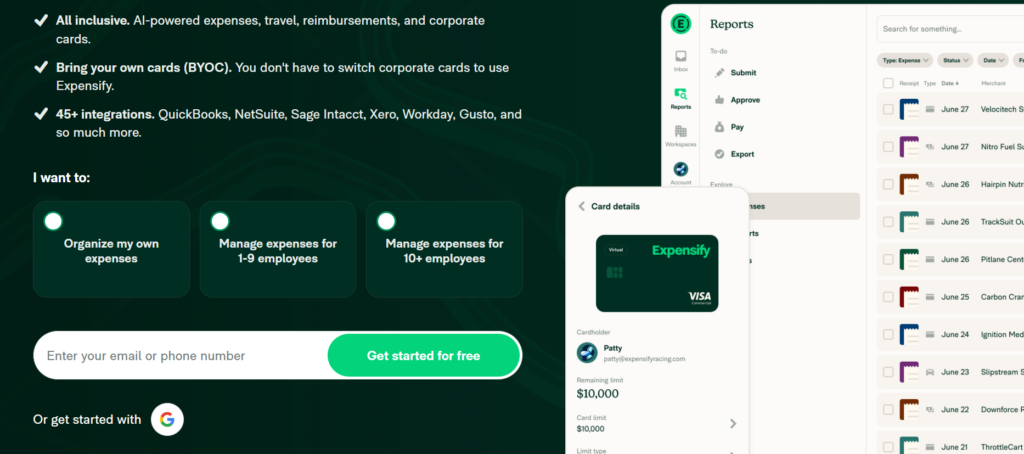
Expensify is a well-known expense management platform built around fast receipt scanning and automated expense reports. It connects to your cards and bank accounts, pulls in transactions, and matches them with scanned receipts. (Yes, you can put that old shoe box away.)
Pros:
- Excellent AI-powered receipt scanning that can save several hours per month by auto-reading amounts, vendors, and dates.
- Expensify Card with cashback that can offset some or all of your subscription costs if you spend heavily on the card.
- Strong integrations with accounting platforms like QuickBooks and Xero.
Cons:
- Many of the most useful features are in the paid plans, so the free option may feel limited for active freelancers.
- No project-based expense allocation.
Pricing: Expensify is free to use for individuals. For companies, plans start at $5 per member, per month, but you can offset that cost with cash back from the Expensify Card.
What it’s best for: Receipt organization and scanning (for travel, client expenses, hardware, etc.) plus automated reporting.
Who it’s best for: Service providers who travel frequently, work on-site with clients, or manage employee expenses and want one streamlined workflow from receipt to reimbursement.
One G2 reviewer says:
“Over time, I’ve started appreciating how well everything stays organized inside the platform. Managing multiple receipts and reports has become much easier as I got more familiar with the system. The mobile receipt capture and automatic expense categorization help reduce manual work, and the platform feels more reliable the longer I use it.”
4. FreshBooks (4.5/5 stars on G2)
FreshBooks
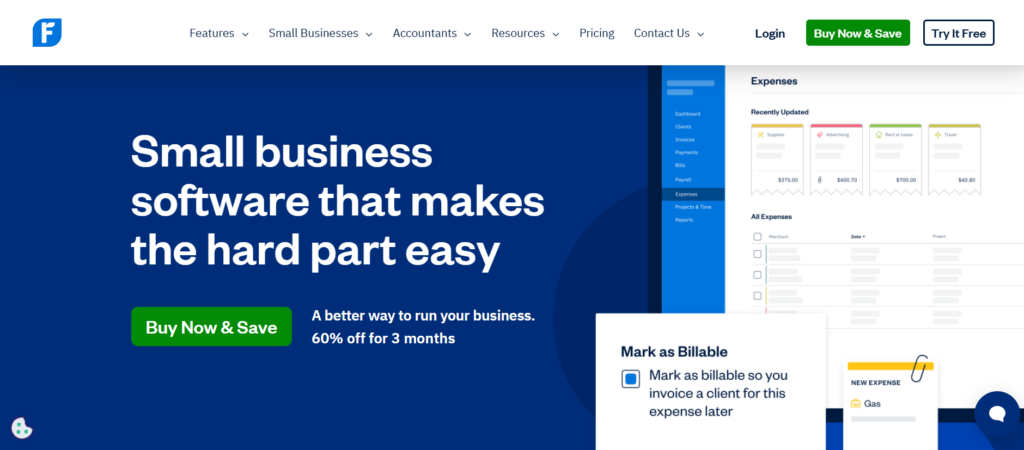
FreshBooks is an all-in-one small-business accounting platform with built-in invoicing, time tracking, and expense management. For freelancers, it can act as your central financial hub: You send invoices, log expenses, and see profit and loss without juggling multiple tools.
Pros:
- Built-in time tracking, proposals, and invoicing help you manage the full client lifecycle in one tool.
- User-friendly design feels approachable even if you don’t have an accounting background.
- Expense tracking ties directly into tax-ready reports and profit analysis.
Cons:
- Pricing scales up as your number of clients and users grows, which can get pricey once you move beyond the smallest plan.
- Some advanced accounting features are more limited than those in heavier tools like Xero or QuickBooks.
Pricing: The pricing is currently 60% off for three months, with plans starting at $9.20 per month.
What it’s best for: Invoicing, time tracking, and expense tracking in the same place — without dealing with traditional accounting software complexity.
Who it’s best for: Solo creatives, consultants, and coaches who value simplicity and want a streamlined, client-centric view of their finances.
One G2 reviewer says:
“Freshbooks simplifies getting paid and managing time, projects, clients, invoices, and expenses. Plus, their customer support is excellent.”
5. Xero (4.4/5 stars on G2)
Xero
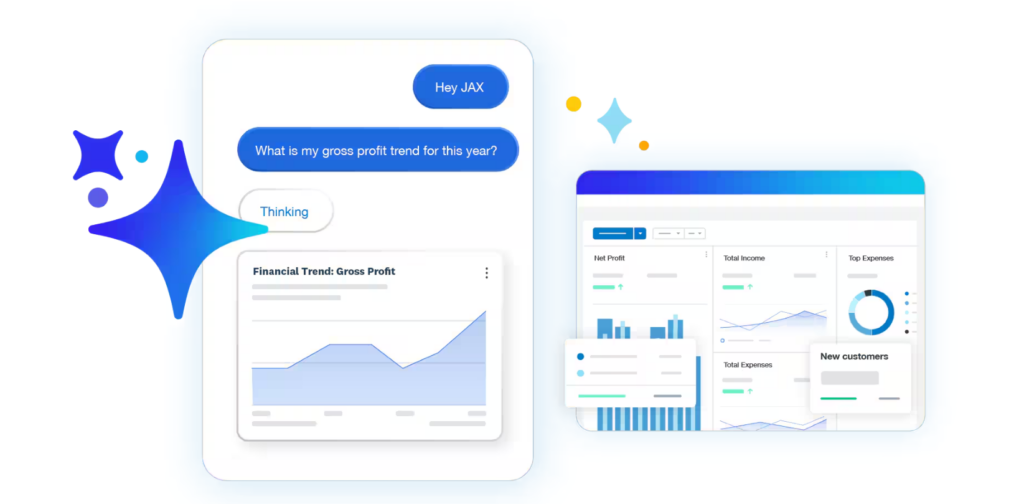
Xero is a full-featured cloud accounting platform built for small businesses. It has robust bank feeds, invoicing, expense tracking, payroll add-ons, and detailed reporting. For self-employed professionals, it can serve as both your expense tracker and long-term accounting system as your business grows.
Pros:
- Scales well. You can start as a solo freelancer and grow into multi-user, multi-currency, and more complex setups without switching platforms.
- Strong bank reconciliation and automatic transaction imports. (Keep your books up to date with minimal manual entry.)
- Integrates with a wide range of third-party apps (like time tracking, CRM, and e-commerce).
Cons:
- Expense claims and some advanced features may require add-ons, which can increase the effective monthly cost.
- Interface and features can feel overwhelming if you just want a simple expense app.
Pricing: Paid plans currently start at $3.75 USD per month.
What it’s best for: Full accounting beyond simple receipt storage.
Who it’s best for: Self-employed professionals who plan to scale into hiring, multiple revenue streams, or global clients and need software that can keep up without a platform switch.
One G2 reviewer says:
”I run a small SEO agency in Melbourne and use Xero mainly for invoicing clients, reconciling payments, and keeping an eye on cash flow. For day-to-day billing, it works well. I’ve set up repeating invoices for my monthly SEO retainers, and that saves me time. The dashboard gives me a quick snapshot of what’s coming in and what’s overdue, which helps when managing multiple client accounts.”
6. Harvest (4.3/5 stars on G2)
Harvest
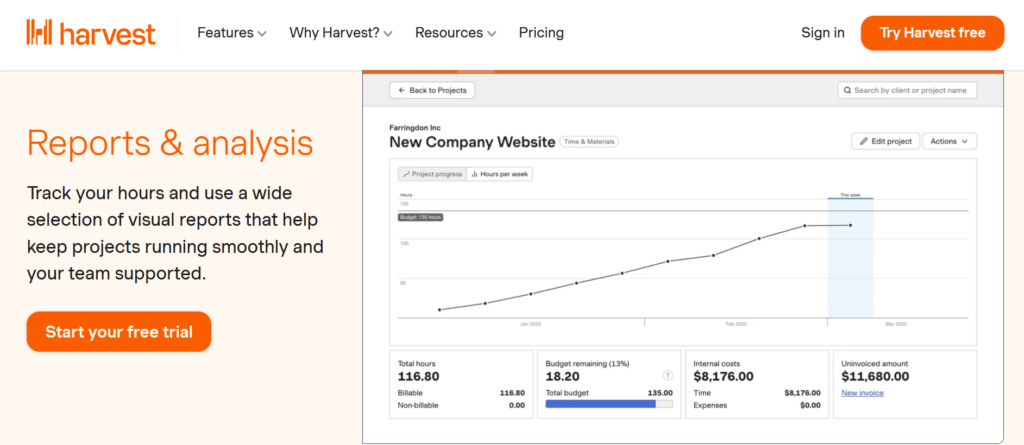
Harvest is a time tracking and invoicing app that also includes expense tracking. It’s a good fit for freelancers who want to connect time, project budgets, and costs.
You can log expenses, attach receipts, assign them to projects, and bill them back to clients when needed.
Pros:
- Good for project-based freelancers who need to see whether a project is staying within budget once expenses are factored in.
- Clean time tracking plus simple expense logging in one interface.
- Offers a forever-free plan for very small use cases.
Cons:
- The free plan is limited to one seat and two active projects, which most freelancers will outgrow quickly.
- Some users report limited features and reporting.
Pricing: Free, limited plan available. Paid plans start at $11 per seat, per month.
What it’s best for: Time tracking, invoicing, and basic expense tracking in a single, project-focused tool.
Who it’s best for: Designers, developers, solo agencies, and consultants who care deeply about project profitability and want a streamlined setup.
One G2 reviewer says:
“I like using Harvest for tracking time accurately with its effortless one-click timer that starts tracking instantly from desktop, browser, or mobile. The detailed profitability reports are also great for drilling into billable hours versus costs per project or client. This helps me spot overruns on hard-to-find parts early, which is great for optimizing budgets and boosting margins.”
7. Wave (4.3/5 stars on G2)
Wave
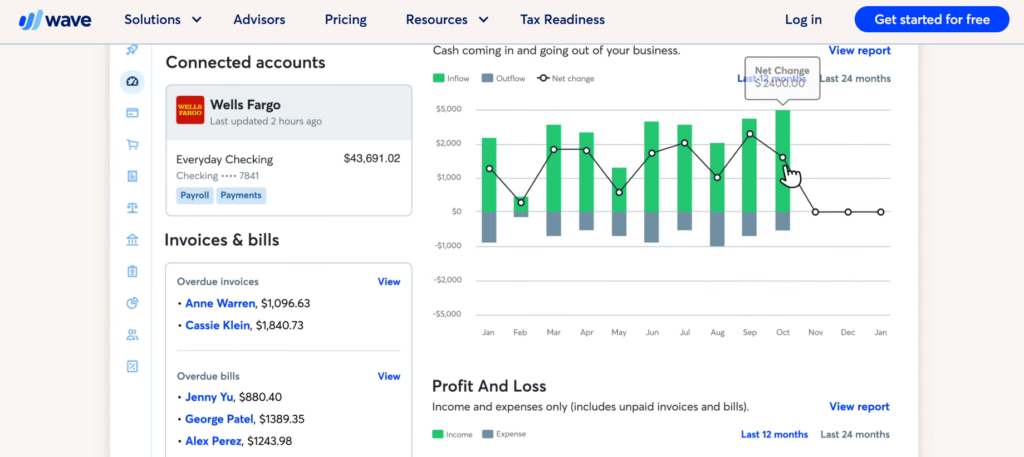
Wave is a free, small-business accounting platform that includes invoicing, basic expense tracking, and income reporting.
It’s especially attractive to new freelancers who want a budget-friendly way to separate business finances without committing to a paid tool. (Though you still pay via fees.)
Pros:
- Simple interface that lets you connect bank accounts, categorize expenses, and generate reports without a steep learning curve.
- Core features (invoicing, expense tracking, basic accounting) are free, which is ideal if you’re just getting started.
- Optional paid add-ons (e.g., payments and payroll) give you room to grow if you stay in the ecosystem.
Cons:
- Fewer advanced features than tools like Xero or QuickBooks, especially for complex reporting or multi-entity setups.
- Transaction fees can add up if clients pay you using their credit cards.
Pricing: Free. Pro plan costs $19 per month.
What it’s best for: Having a straightforward way to track income and expenses and prepare for tax season.
Who it’s best for: New self-employed pros, side hustlers, and budget-conscious freelancers who aren’t ready for a full paid accounting suite yet.
One G2 reviewer says:
“I really like that Wave’s user interface is simple and easy to use, making it straightforward to find things. The customer service has been easy to use, and they are easy to get a hold of. I found the features to be purposeful, useful, and offering a wide variety. Setting it up was also really easy, especially if you have your business and bank information ready.”
Finance best practices most freelancers don’t think about
Once you’ve picked an expense tracker, you’ve taken a big step.
But there’s more you can do to make your money work for you.
Get credit card advice
If you plan to link a business credit card to your expense tracker, make sure to get expert credit card advice first. An advisor can help you find cards that offer the best rewards, lower fees, and fair interest rates.
They can also help you understand how to manage your credit card payments, so you’re still building credit without going into steep debt.
Track and manage your credit
Speaking of managing credit, make sure to also sign up for free credit monitoring so you can track your score. (I recommend signing up for both personal credit monitoring and business credit monitoring.)
Credit monitoring tools track changes to your credit score and send you alerts about activity that could affect your financial profile.
Monitoring your credit also makes it easier to spot errors or suspicious activity. You can also use reports to get prepared for future financing opportunities.
Get a financial advisor
Even the best app can only show you what’s happening. It can’t design your long-term strategy.
Once your income and expense tracking feels stable, it may be worth bringing in a financial advisor like Abacus Global to help you zoom out. An advisor can look at your irregular income, tax situation, and growth plans, then suggest structures, protections, and funding options.
Set up a trust
Speaking of protection …
As your freelance income and assets grow, protecting what you’re building becomes more important. Some freelancers start looking into whether they can set up a trust without a lawyer to organize and protect their assets.
DIY platforms can work for simple situations, but things get trickier if you have multiple income streams, property, or investments. In this case, hiring a lawyer is usually the safer choice. Small legal mistakes can cause problems later.
(Just like keeping clean expense records helps during tax season, having a properly structured trust helps make sure your assets and wishes are legally protected.)
Form an LLC or incorporate your business
Once your freelance income becomes steady, it’s worth thinking about forming an LLC or incorporating. A legal business entity separates your personal assets from business liabilities. (Which can help protect you if a client issue or contract dispute pops up.)
It can also open the door to tax advantages. You can also bring on investors or even sell your business one day.
Wrap up
A self-employed expense tracker helps you stay clear on what you earn, what you spend, and what you keep. Start with the tool that feels easiest to use, then layer in smart credit choices, legal structures, and expert advice as you grow. If you’re ready to treat your freelance work like a real business, now is the time to set up your system.
P.S. Need a way to find more clients? You’ll love SolidGigs! Get leads with SolidGigs now.
FAQs about self-employed expense trackers
Do I really need a separate expense tracker if I already use a spreadsheet?
You can get by with a spreadsheet for a while, but dedicated trackers connect to your bank, automate categorization, and store receipts, saving hours and reducing errors come tax season.
What’s the difference between an expense tracker and accounting software?
Expense trackers focus on logging and organizing costs. Accounting software covers the full picture: Income, expenses, assets, liabilities, and formal financial statements. Many tools on this list combine both.
Should I connect my personal accounts or only business accounts?
For clean records, it’s better to use a dedicated business bank account and card, then connect those to your tracker. That separation makes taxes easier.
How do mileage and travel expenses fit into an app?
Most modern tools include mileage tracking or integrate with mileage apps. You can log trips, apply standard rates, and keep everything documented in case of an audit.
What if my income is very irregular?
Irregular income is exactly why expense tracking matters. You can see your fixed vs. variable costs, set realistic minimum income targets, and build a buffer instead of flying blind.
Can I use a self-employed expense tracker on my phone?
Yes. Most modern expense trackers have mobile apps that let you snap photos of receipts, log mileage, and categorize expenses on the go. This is especially helpful for freelancers who travel or work from multiple locations.
How often should freelancers review their expenses?
A quick weekly review works well for most freelancers. Spend 10–15 minutes checking new transactions, confirming categories, and uploading missing receipts. This keeps your records clean and prevents a big cleanup at tax time.
What expenses can freelancers usually track in these apps?
Common examples freelancers track include: Software subscriptions, marketing costs, office supplies, business mileage, travel, contractor payments, and client-related meals.
Tracking expenses consistently helps you understand true operating costs and potential tax deductions.
Can expense trackers help me find tax deductions?
Yes. Expense trackers organize transactions into categories like software, travel, marketing, and equipment. This makes it easier to spot deductions you might otherwise miss. Many freelancers save money simply by tracking everything consistently.
Do I need to keep receipts if I use an expense tracker?
Yes. Even with an app, receipts are still important for documentation. Many tools let you upload or scan receipts so they’re stored digitally alongside the transaction for later reference.
One more thing...
You didn't start freelancing to spend hours every week searching through job boards. You started freelancing to do more work you enjoy! Here at SolidGigs, we want to help you spend less time hunting and more time doing work you love.
Our team of "Gig Hunters"—together with the power of A.I.—sends you high-quality leads every weekday on autopilot. You can learn more or sign up here. Happy Freelancing!